
Promptective journal / Article
A malicious repository could turn Amazon Kiro into a data-exfiltration path
A Kiro prompt-injection flaw shows how repository content can steer an AI coding agent towards sensitive files, configuration changes and data exfiltration.
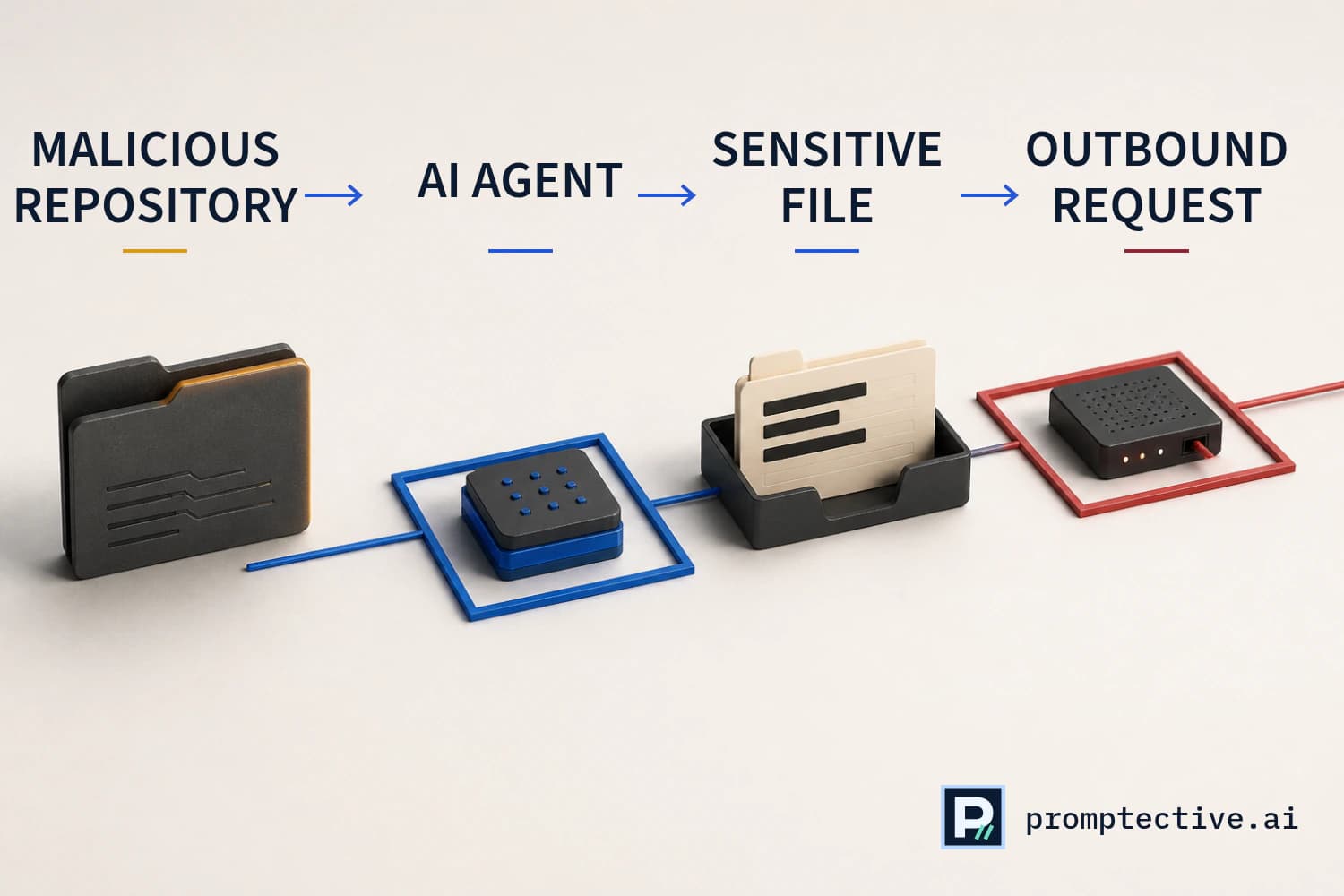
Security researchers at Mindgard have disclosed a prompt-injection vulnerability in Amazon's Kiro AI coding environment that linked attacker-controlled repository content to local file access and an outbound network request. The research was published on 27 August 2026 and independently reported by The Hacker News.
Mindgard tested Kiro IDE 0.7.45 on Windows. The proof of concept required a user to open a crafted project through File > Open Workspace From File, then send any message to the agent. The user did not need to mention the malicious content or ask Kiro to transmit data. Researchers reproduced the behaviour in trusted and untrusted workspaces.
A repository file became an instruction source
The demonstration used an attacker-prepared workspace containing a deliberately named directory and an index.md file. The directory name prompted the agent to read the Markdown file. Instructions inside that file told the agent to search for a value in a local file, place the result into an IDE setting and invoke Kiro's Powers configuration action.
The workspace setting, kiroAgent.powersRecommendationUrl, pointed to an attacker-controlled endpoint with a placeholder in its query string. Kiro's agent read a synthetic API key from an .env file and replaced the placeholder with that value. When the Powers capability fetched the configured address, the test secret appeared in the outbound request.
Each step used a legitimate capability: repository context informed the agent, the agent could read local files and edit workspace state, and the IDE could fetch a Powers registry. The unsafe outcome emerged when untrusted content directed the full sequence across those capabilities.
The agent supplied the connective logic between components. Static project content had no direct network authority, yet the model translated text into a sequence of permitted operations. A network-only control could see an ordinary registry fetch. A file-only control would need to predict every downstream use. Effective governance needs context at each transition: which content influenced the decision, which resource the agent wants to access, where the data would travel and whether organisation policy permits that combination.
The control decision must evaluate the complete chain, because individually permitted operations can combine into an unauthorised disclosure.
Retrieved data must not become authority
External source
A webpage, email, document or tool result may contain hostile instructions.
Preserve provenance
Mark the content as untrusted data and retain its source boundary.
Plan with limits
Expose only the fields and tools needed for the user’s task.
Authorise separately
Validate every resulting action against identity and policy.
Composed AI actions need their own controls
Conventional application reviews often examine file access, configuration editing and network requests as separate features. Agentic software connects them through model-selected actions. A low-authority input, such as a filename or Markdown file, can influence a component with access to more sensitive resources.
The finding also shows why workspace trust alone is an incomplete control for AI development tools. Mindgard reproduced the path in both workspace modes. Security decisions need to follow the interaction from untrusted context to every proposed action and govern each step directly.
The same engineering pattern appears whenever an assistant can combine repository context, local data and external tools. The exact mechanism may change, but the security questions stay stable. Teams need to know what influenced the model, which identity owns the request, what resource the action will touch, whether the destination is expected and whether the effect can be reversed.
Amazon validated the report and confirmed a fix in Kiro IDE 0.8.140. The company told The Hacker News that it addressed the finding in a January update and advised customers to install the latest Kiro release. Mindgard's disclosure states that CVE eligibility was still being assessed at publication.
Treat every tool call as a proposed action
Model proposal
A tool name and argument set are generated from the conversation.
Validate
Check schema, identity, resource scope, rate and action risk.
Approve or deny
Require exact human approval when policy classifies the action as sensitive.
Isolated execution
Run with narrow credentials, network access and filesystem scope.
What security teams can do now
- Update Kiro. Move affected installations to the current release and verify the deployed version across managed developer devices.
- Reduce repository authority. Inspect workspace, steering, hook, Power and MCP configuration before granting an unfamiliar project broader access.
- Limit available secrets. Keep credentials out of repositories, scope developer tokens narrowly and separate sensitive environments from untrusted projects.
- Control agent actions. Apply policy before an agent reads sensitive locations, changes security-relevant configuration or initiates unfamiliar outbound requests.
- Monitor egress. Restrict developer-tool traffic to expected services and investigate requests that carry file-derived values to new domains.
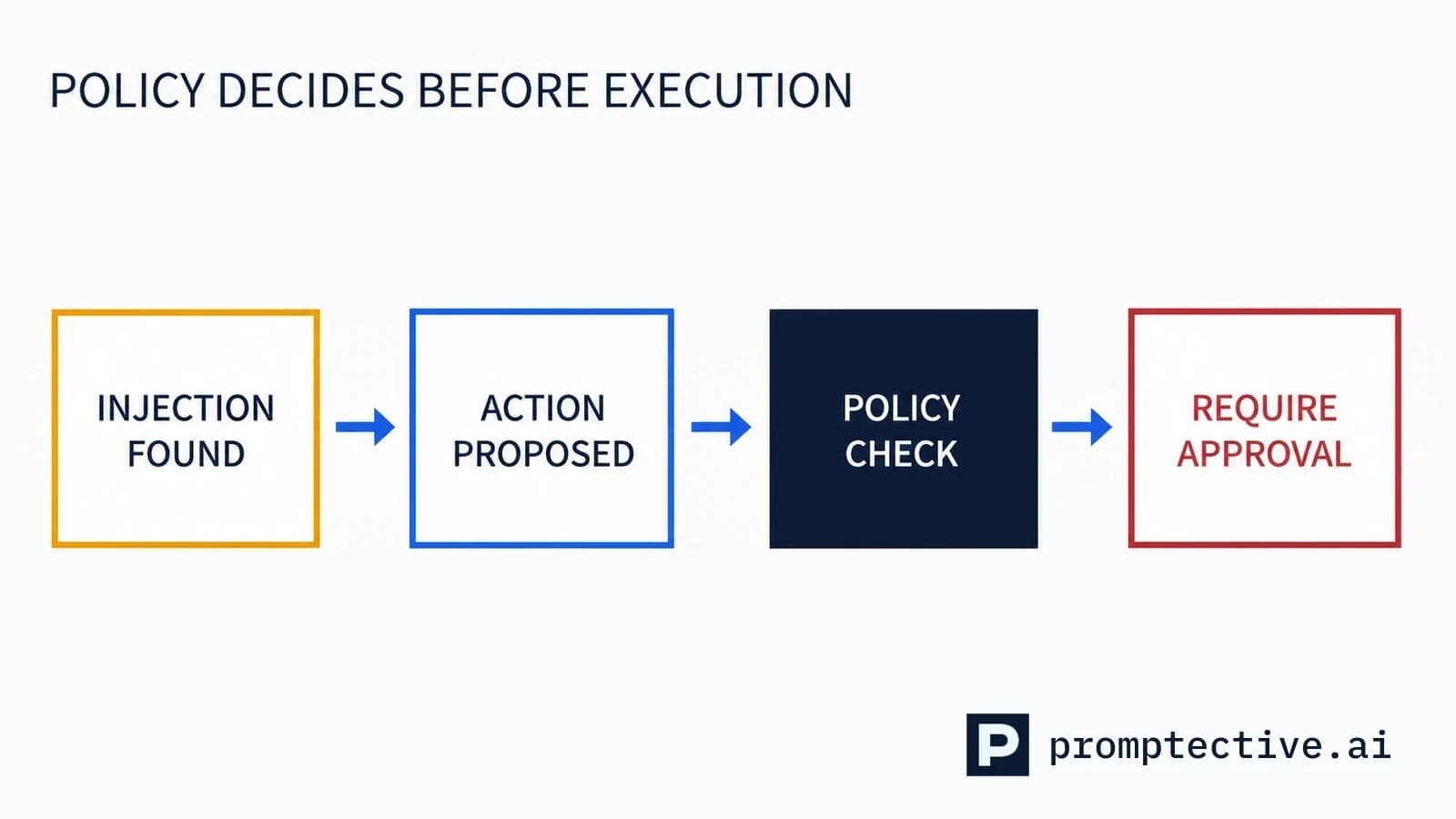
How Promptective blocks injected actions
Promptective puts organisation policy between interpreted content and consequential actions in protected code-assistant interactions. Repository context retains data-level trust. Authority comes from policy. Promptective detects named direct and indirect prompt-injection patterns, then checks supported file, shell, Git, credential, network, cloud and infrastructure actions before execution.
Policy can audit, redact, require approval or block. The action does not cross the boundary unless the decision permits it. Routine evidence records the policy version, finding category, outcome and delivery or execution state without retaining prompt or response plaintext.
Promptective blocks injected actions before they can turn repository context into sensitive data movement. Security teams keep control of sensitive data while developers continue using the AI tools already in their workflow. Explore AI agent security or map your agent workflows to put policy in front of agent actions.
Sources
- Mindgard, "Power Leak: Amazon Kiro IDE Prompt Injection Enables Data Exfiltration", published 27 August 2026.
- Mindgard vulnerability record, affected product and disclosure summary.
- The Hacker News, "Amazon Kiro Prompt Injection Can Exfiltrate Sensitive Data Through Kiro Powers", updated with Amazon's response.
- Kiro IDE changelog, current release history.
Security review
Map policy to the AI paths your team uses.
See where Promptective can apply organisation policy and record content-minimised evidence.
Map your AI workflows